# 如何开启双重验证登录

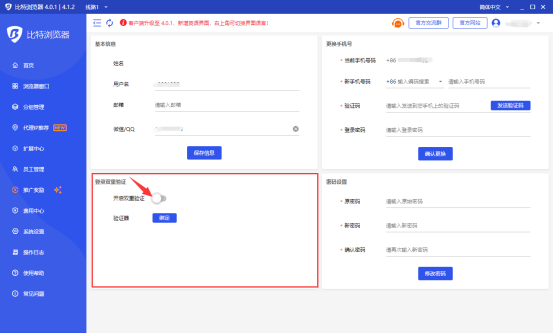
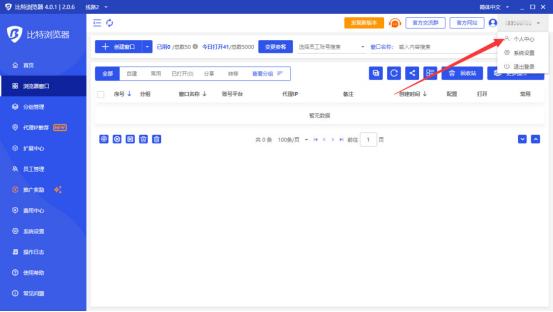
1. 登录比特指纹浏览器选择“个人中心”点击进入。

<figure><img src="/files/jjdFtUbJGRuNWKzyRnGE" alt=""><figcaption></figcaption></figure>

2. 选择登陆双重验证界面，将“开启双重验证”开关打开。

<figure><img src="/files/TneMN9JGzMOhPkOqub0u" alt=""><figcaption></figcaption></figure>

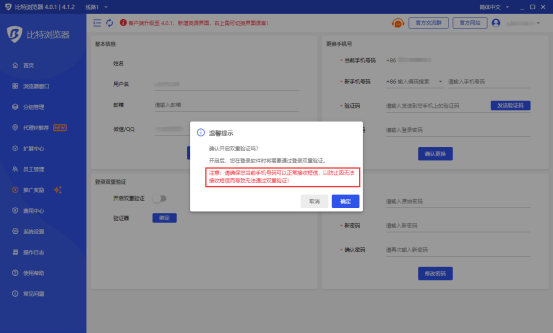
3. 点击确定“按钮”开启，在登录软件时将需要通过登录双重验证。<mark style="color:red;">注意：请确保您当前手机号码可以正常接收短信，以防止因无法接收短信而导致无法通过双重验证！</mark>

<figure><img src="/files/tWOPsb9YYjCNsSTwplYN" alt=""><figcaption></figcaption></figure>

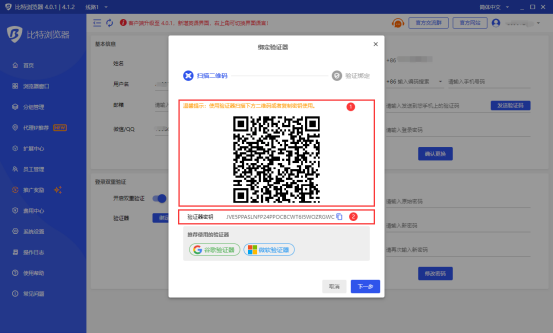
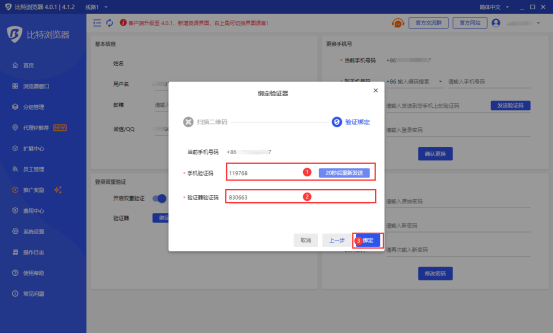
4. 点击“绑定”按钮后添加“验证器”。这里我们推荐使用“谷歌验证器”或“微软验证器”，使用验证器扫描下方二维码或者复制密钥添加，扫描成功或添加秘钥成功后点击“下一步”填写“手机验证码”和“验证器验证码”，点击“绑定”按钮绑定验证器。

<figure><img src="/files/Rz2Q0NkawmbJZmMWBDs1" alt=""><figcaption></figcaption></figure>

<figure><img src="/files/fbzXTwny0Z5mjCLPlCK8" alt=""><figcaption></figcaption></figure>

<figure><img src="/files/A69ai9rat75XgDcDySoS" alt=""><figcaption></figcaption></figure>

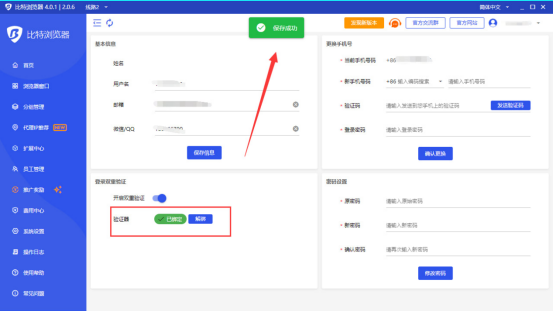
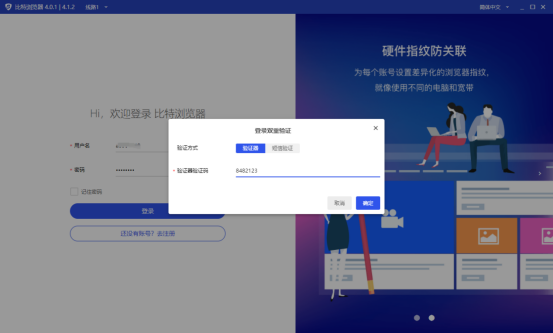
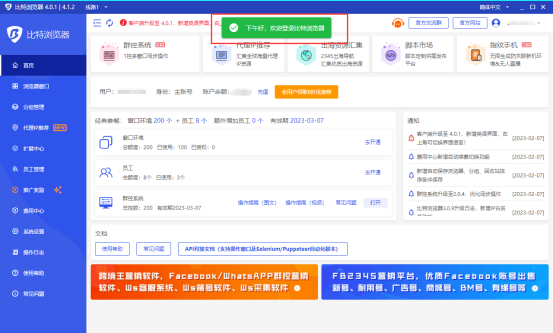
5. 这样一来，我们登录比特浏览器就需要通过输入“验证器验证码”或“短信验证码”的方式进来进行双重验证登录账户。
<figure><img src="/files/x1hzdRMxq2iVn5JMOiX4" alt=""><figcaption></figcaption></figure>

<figure><img src="/files/ZhQXPHK68amY2hn7DGD8" alt=""><figcaption></figcaption></figure>


---

# Agent Instructions: Querying This Documentation

If you need additional information that is not directly available in this page, you can query the documentation dynamically by asking a question.

Perform an HTTP GET request on the current page URL with the `ask` query parameter:

```
GET https://doc.bitbrowser.net/zh/help1/ri-chang-cao-zuo/ru-he-kai-qi-shuang-chong-yan-zheng-deng-lu.md?ask=<question>
```

The question should be specific, self-contained, and written in natural language.
The response will contain a direct answer to the question and relevant excerpts and sources from the documentation.

Use this mechanism when the answer is not explicitly present in the current page, you need clarification or additional context, or you want to retrieve related documentation sections.