# 批量导出Cookie/批量更新Cookie

### 批量导出Cookie

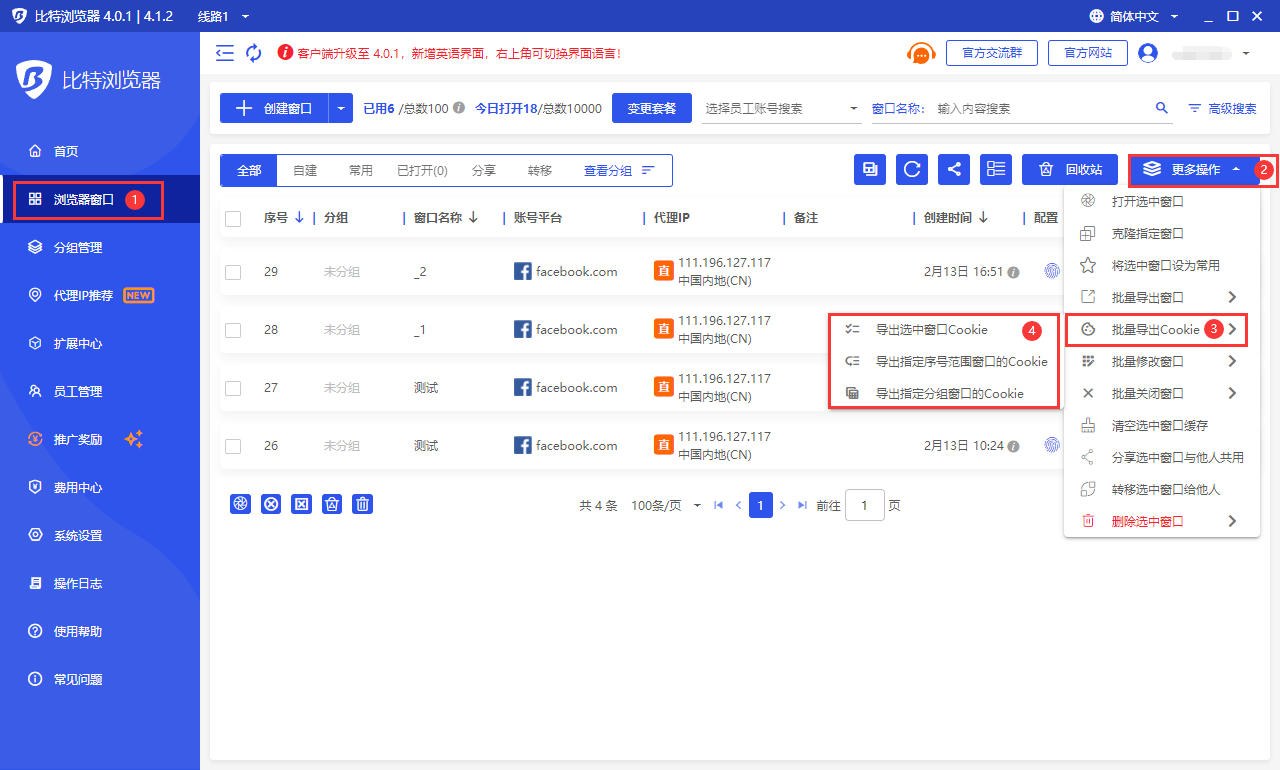
打开客户端 -> 进入左侧菜单项“浏览器窗口” -> 点击“更多操作”按钮 -> 点击菜单项“批量导出Cookie”。目前支持导出选中的浏览器窗口Cookie、导出指定序号范围窗口的Cookie、导出指定分组窗口的Cookie。

<figure><img src="/files/g0vkRctZqmhRQ5EDSgHt" alt=""><figcaption></figcaption></figure>

### 批量更新Cookie

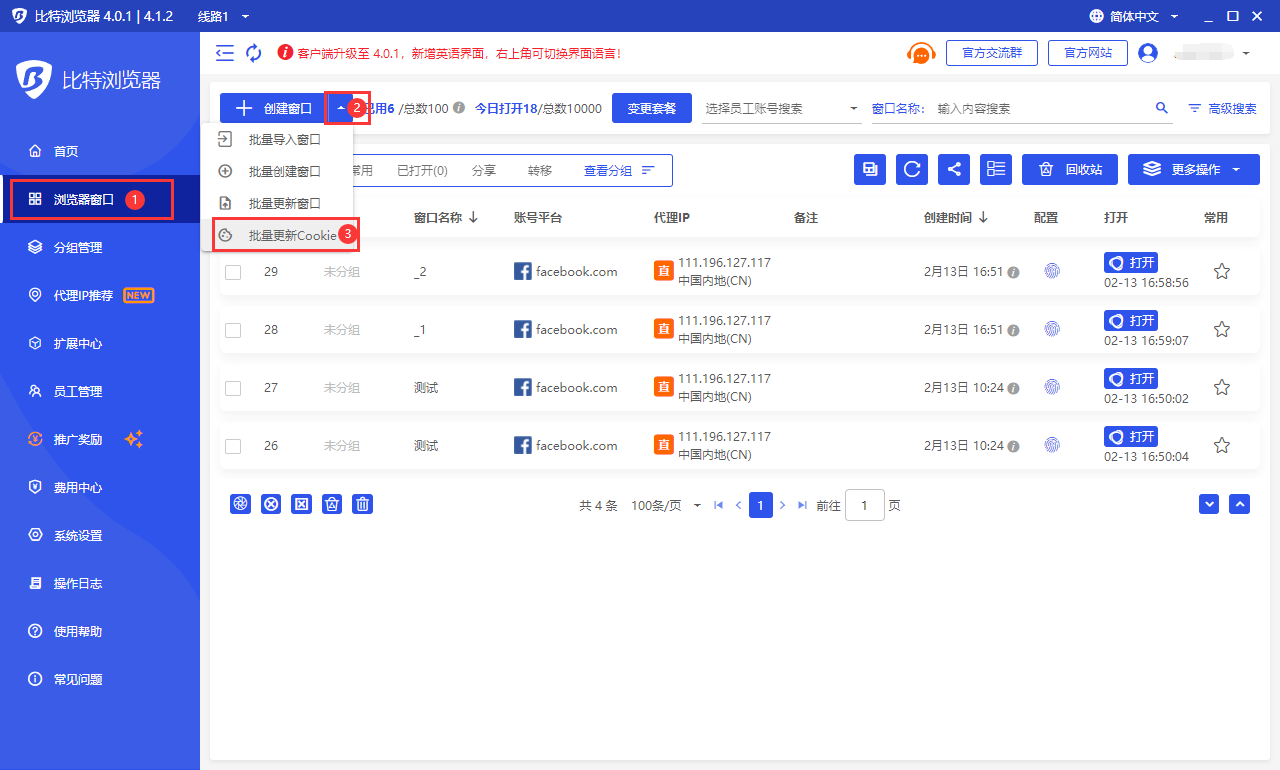
打开客户端 -> 点击左侧菜单“浏览器窗口” -> 点击“创建窗口”按钮右侧的“V”图标 -> 点击“批量更新Cookie”导入需要更新的文件夹zip文件，选择“确定”按钮更新成功。

<mark style="color:red;">注意：</mark>

&#x20;<mark style="color:red;">1. 每个浏览器Cookie必须单独使用一个txt文件，以窗口序号命名。比如窗口序号为：123，则命名为：123.txt；</mark>

<mark style="color:red;">2. 所有txt文件放至同一个文件夹下，文件夹命名为：Cookies，然后压缩为zip文件；</mark>

<mark style="color:red;">3. 一次最多更新100个txt格式（窗口）的Cookie.zip文件大小不能超过20MB；</mark>

<mark style="color:red;">4. 上传成功后，对应序号窗口的Cookie将会替换更新为您上传的最新Cookie。</mark>

<figure><img src="/files/Bz5F8NBC9QEXcd2ZWf8Y" alt=""><figcaption></figcaption></figure>

<figure><img src="/files/JWx1fycAPzTrEeBHJnPz" alt=""><figcaption></figcaption></figure>


---

# Agent Instructions: Querying This Documentation

If you need additional information that is not directly available in this page, you can query the documentation dynamically by asking a question.

Perform an HTTP GET request on the current page URL with the `ask` query parameter:

```
GET https://doc.bitbrowser.net/zh/help1/chuang-kou-guan-li/pi-liang-dao-chu-cookie-pi-liang-geng-xin-cookie.md?ask=<question>
```

The question should be specific, self-contained, and written in natural language.
The response will contain a direct answer to the question and relevant excerpts and sources from the documentation.

Use this mechanism when the answer is not explicitly present in the current page, you need clarification or additional context, or you want to retrieve related documentation sections.