> For the complete documentation index, see [llms.txt](https://doc.bitbrowser.net/llms.txt). Markdown versions of documentation pages are available by appending `.md` to page URLs; this page is available as [Markdown](https://doc.bitbrowser.net/bitcloudphone/bitcloudphone-android/plan-based-billing/phone-profiles/basic-features/update-proxy.md).
# Update Proxy
### Update Proxy
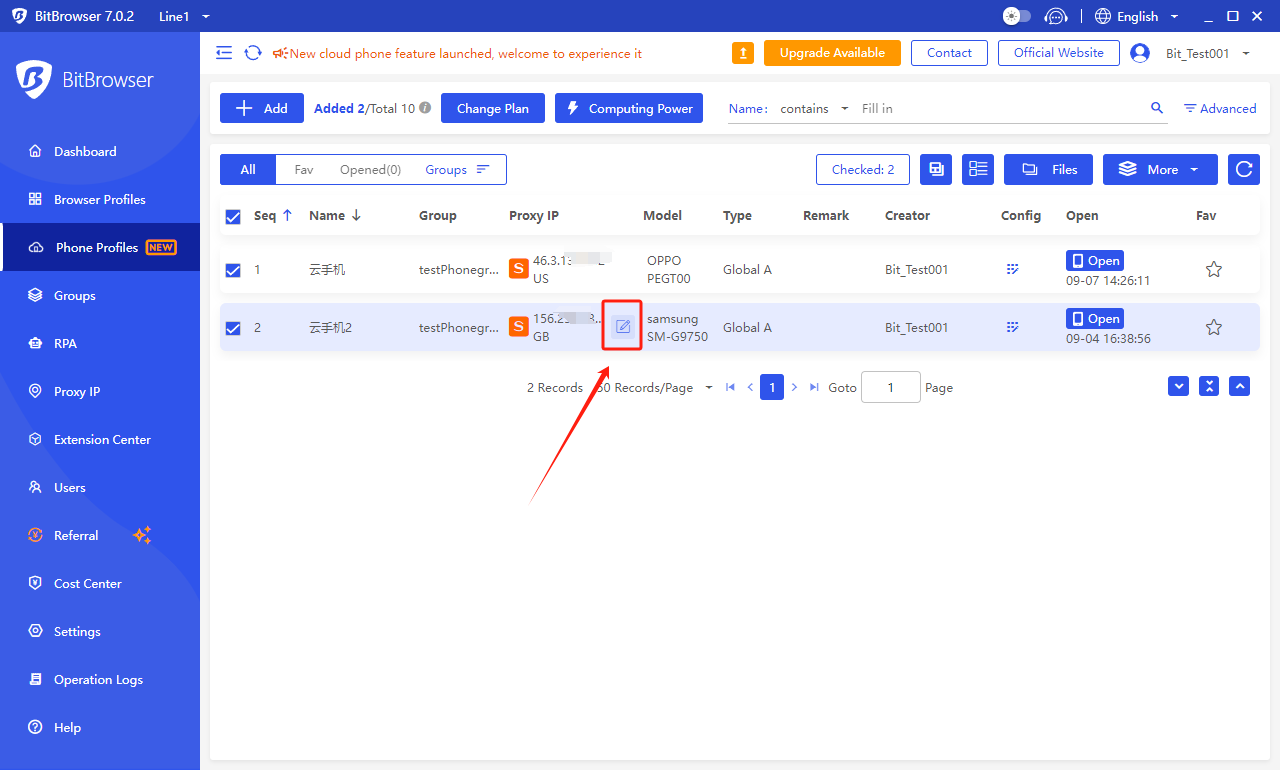
1. Select the phone profile whose proxy information needs to be modified, hover the mouse over the proxy information area, and the 'Edit' icon will appear.
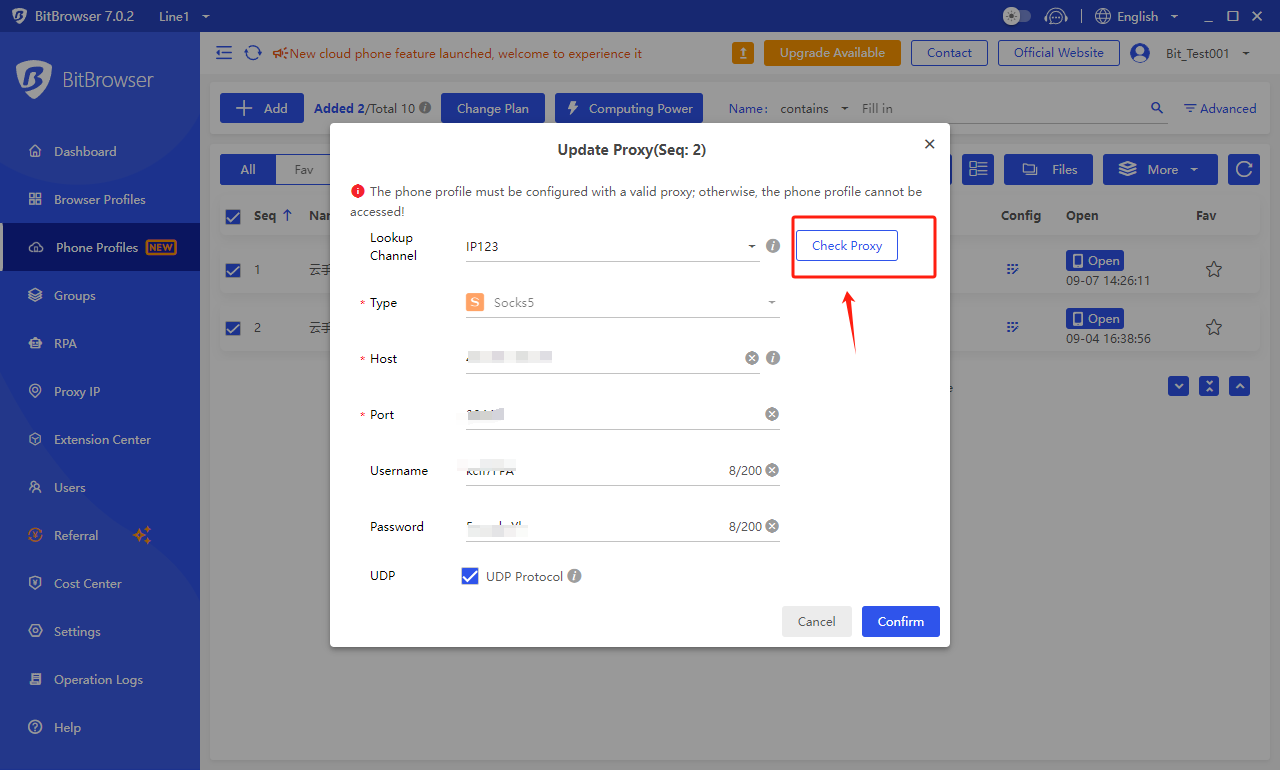
2. Click the icon, and the proxy information modification pop-up window will appear. Modify the information as needed, then click 'Check Proxy' in the top right corner. Once the test is successful, the proxy can be used normally.
### Batch Update Proxy
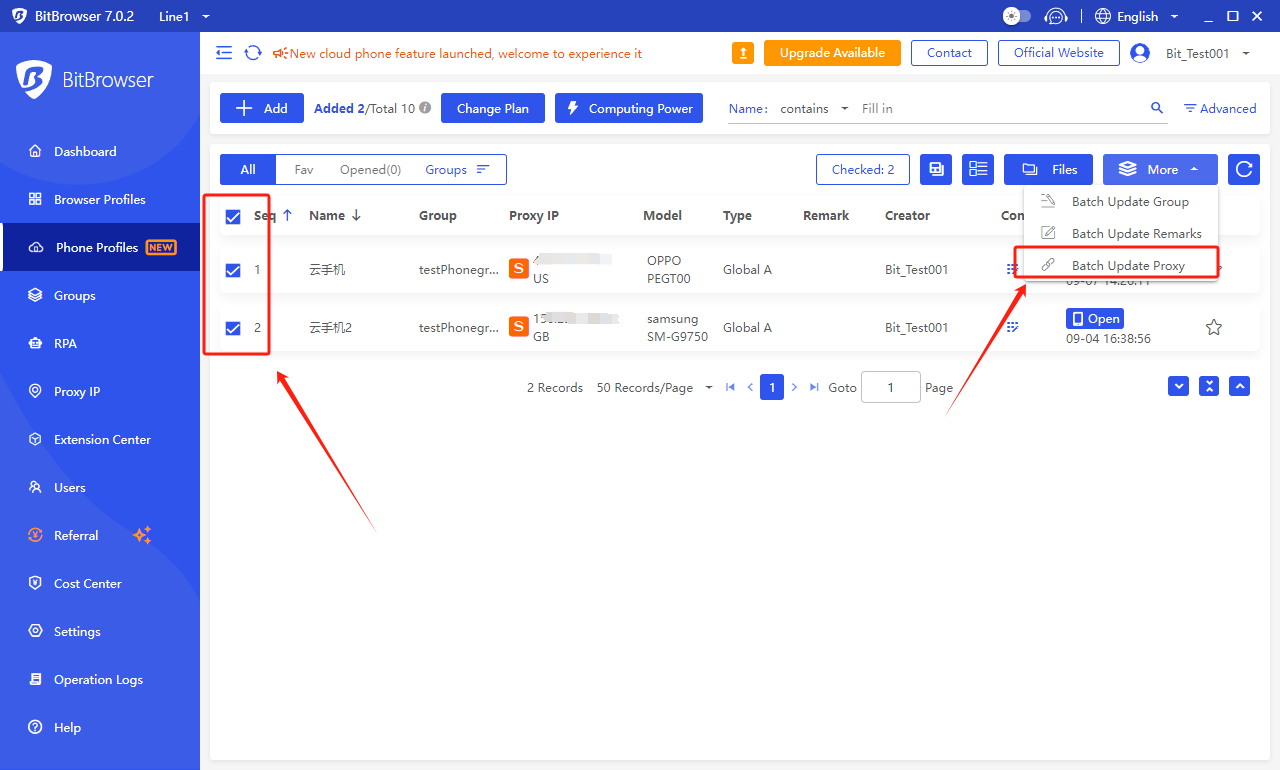
1. Select the phone profiles whose proxy information needs to be modified by checking the checkboxes in front of them in the phone profiles list.
2\. Click on 'More' in the top right corner, then select 'Batch Update Proxy.'
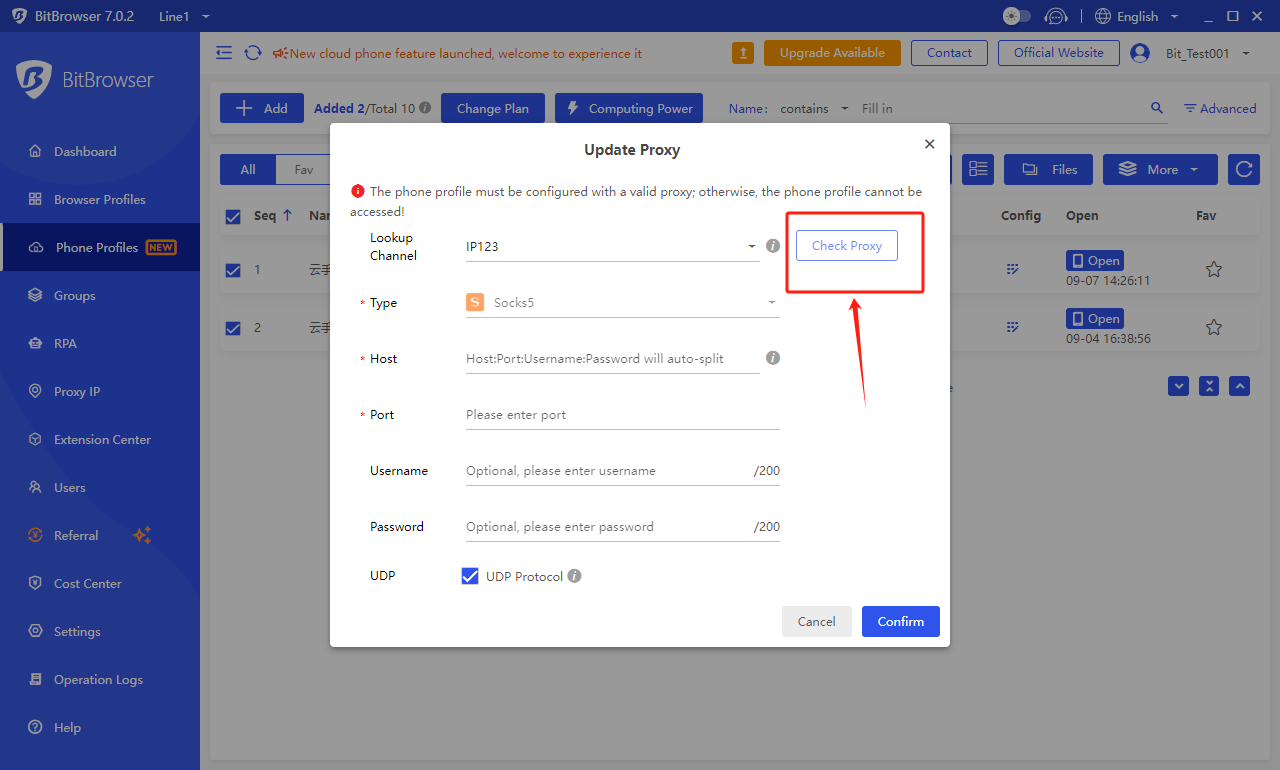
3. After making the modifications and successfully completing the test, the proxy can be used normally.